
Every slab,
from quarry block
to handover.
Stone Max is project control for natural and engineered stone contractors. Site teams record what happened, project managers approve it, and directors see where every project stands without calling anyone.
Made for façade, paving and feature packages across the Gulf. Works in the browser on phone, tablet and desktop.
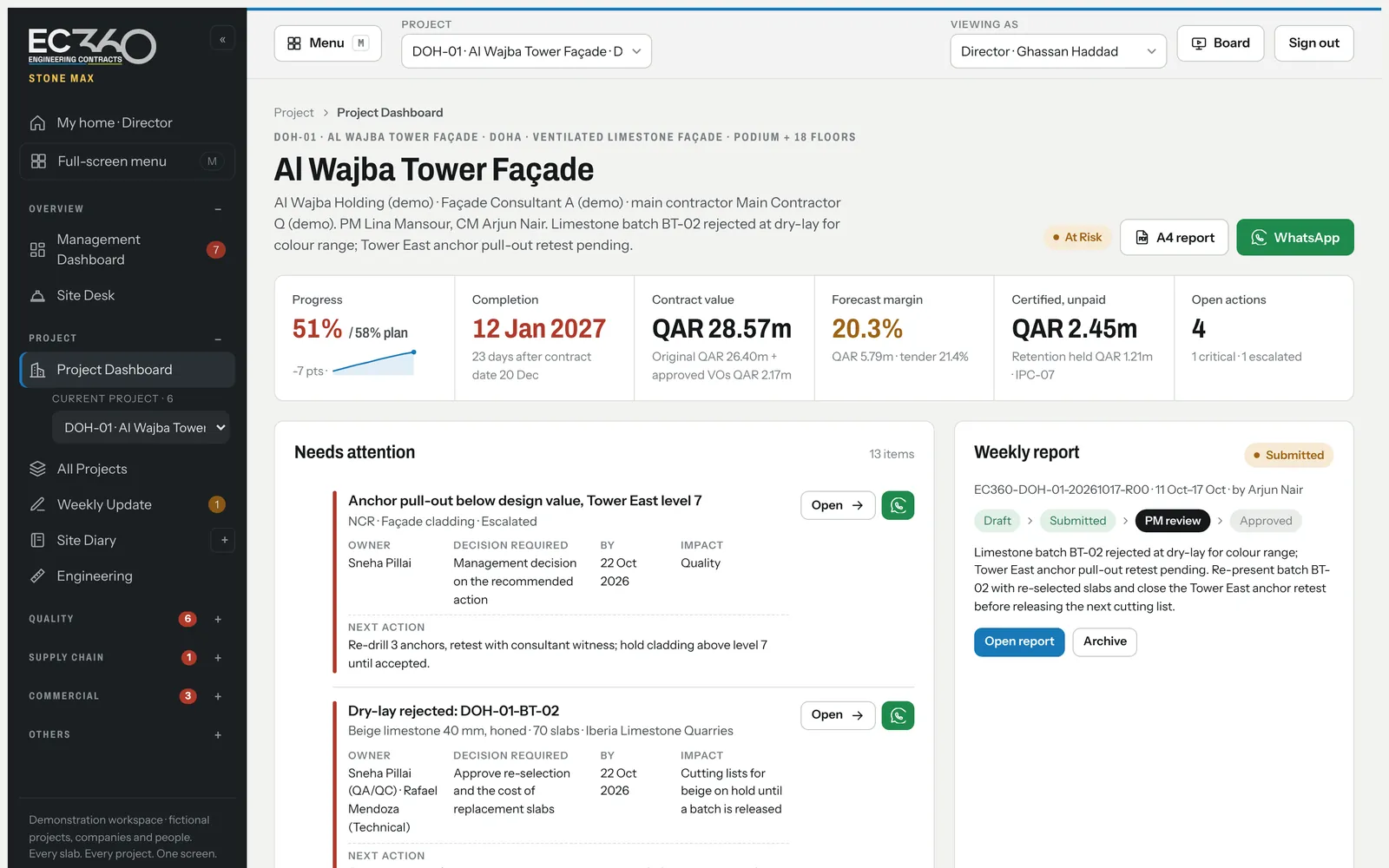
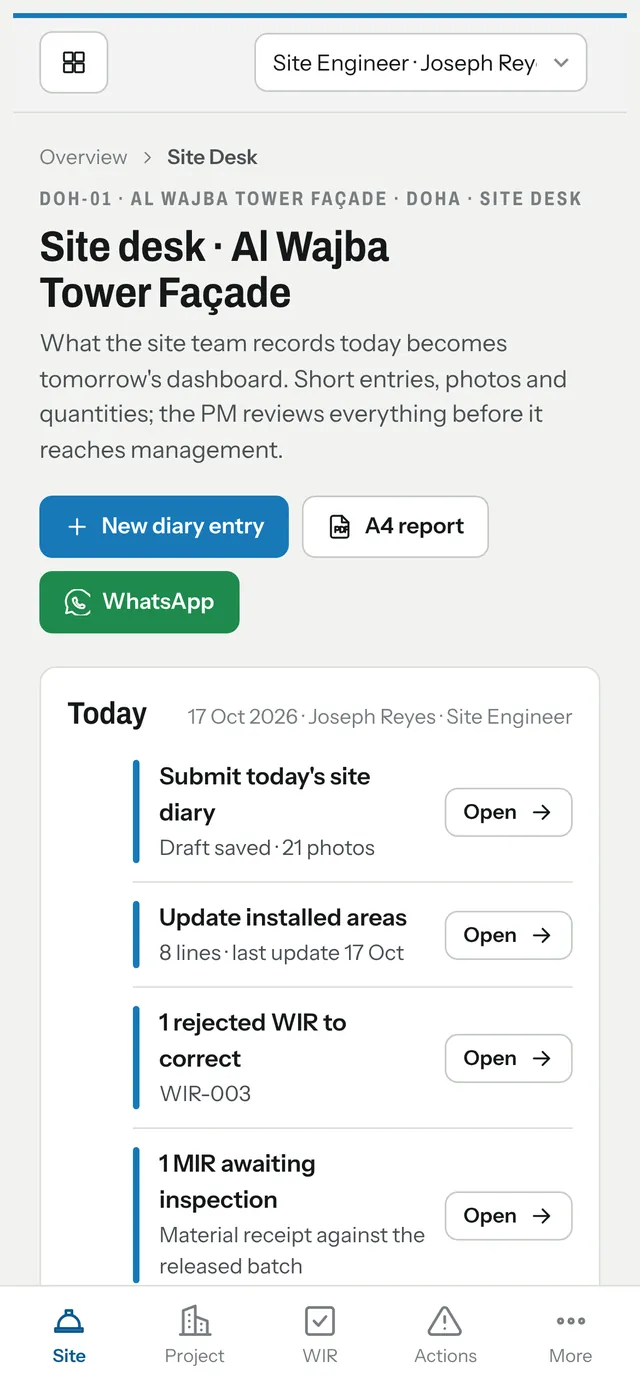
Real app screens with example projects and people.
A simple question should not trigger a chain of calls.
- Call the PM
- Ask the site
- Search a spreadsheet
- Still waiting?
With Stone Max each team updates its own part, and management opens a dated, approved position with the detail one click behind it.
The project position. The detail behind it.
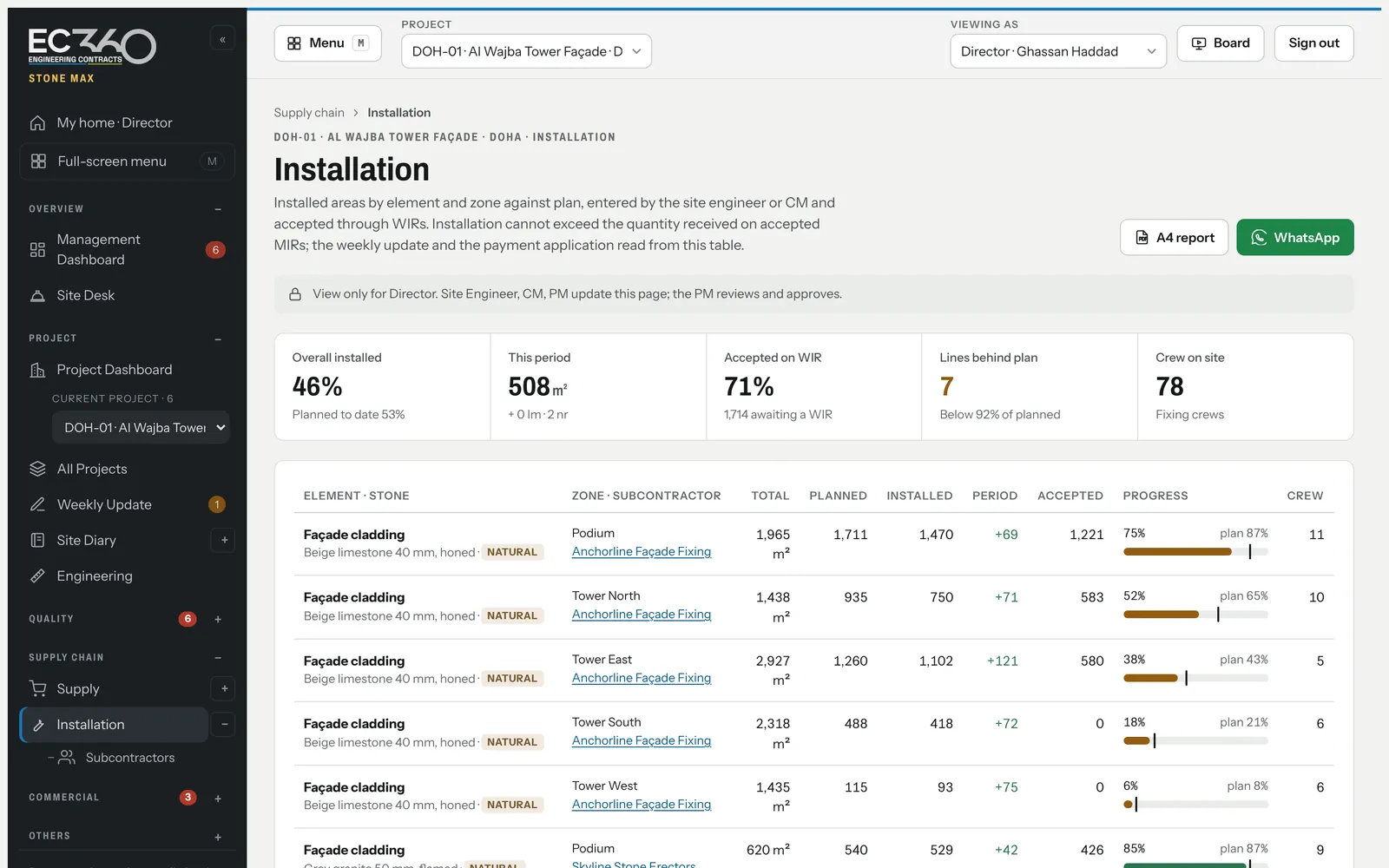
Installed areas by element and zone against plan, accepted quantities, crews on site and what is behind — entered by the site, reviewed by the project manager.
One slab. Every step signed.
Each step is a record with an owner and a date, and each one opens the next. When something stops, the people who can move it see it the same day.
- Block selected at the quarry
Iberia Limestone QuarriesProcurement awards the packageDone. - Dry lay witnessed
DOH-01-BT-01QA/QC with the consultantDone. - Cut to the shop drawing
DOH-01-CL-01Factory, 3,341 piecesDone. - Shipped and cleared
SHP-DOH311Procurement, delivered at Hamad PortDone. - Received on site
DOH-01-MIR-001Waiting for QA/QCShown on the PM's desk and the Director's dashboard until someone acts.Waiting. - Installed and inspectedSite engineer raises the WIR, the consultant acceptsNext.
- Measured and paidAccepted quantities flow into the next payment applicationNext.
Each team updates its part. Management sees the priorities.
- The site team recordsDiary, installed areas, inspections and photos, in short entries on a phone, the day the work happens.
- The project manager reviewsEvery entry is checked and approved before it reaches management, so the figures carry the PM's name.
- Leadership decidesAwards, claims and escalations arrive ranked by impact, with the recommendation and the numbers behind it.
Know the issues. See the trend. Focus on the next decision.
Where do we stand?
Each project shows progress against plan, forecast completion, margin and what is certified but unpaid. The figures come from what the site entered this week and the project manager approved, not from a spreadsheet someone rebuilt on Thursday.
- Progress and forecast per zone and element
- Money stays with commercial roles
- One-click A4 report and board presentation
What is holding us back?
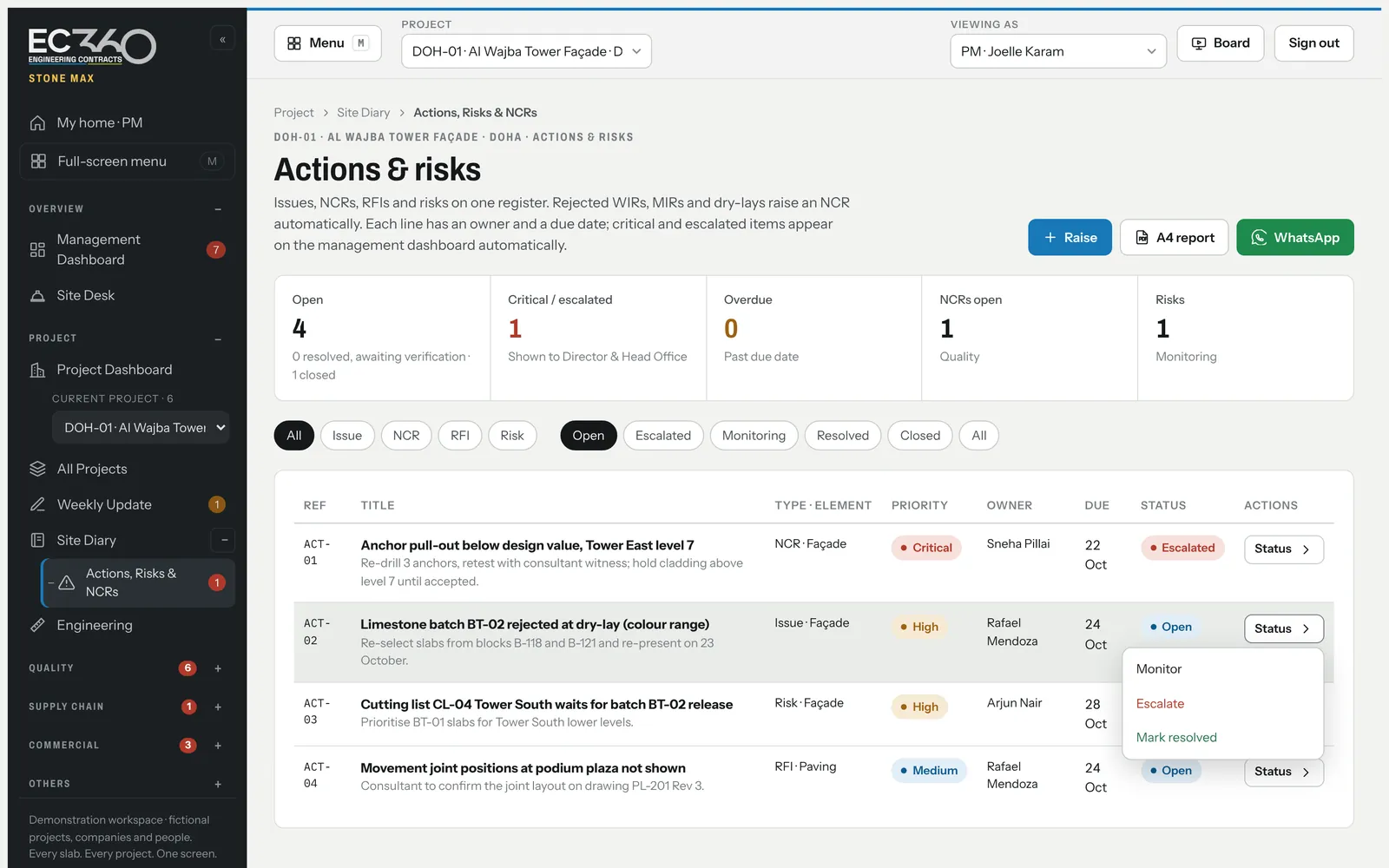
Issues, NCRs, RFIs and risks live on one register with an owner and a due date. A rejected inspection or dry lay raises the NCR by itself, and escalated items surface on the management dashboard.
- Status changes in one click, with a reason when it matters
- Resolved items are verified by someone else
- Overdue and critical items counted for you
What needs my decision?
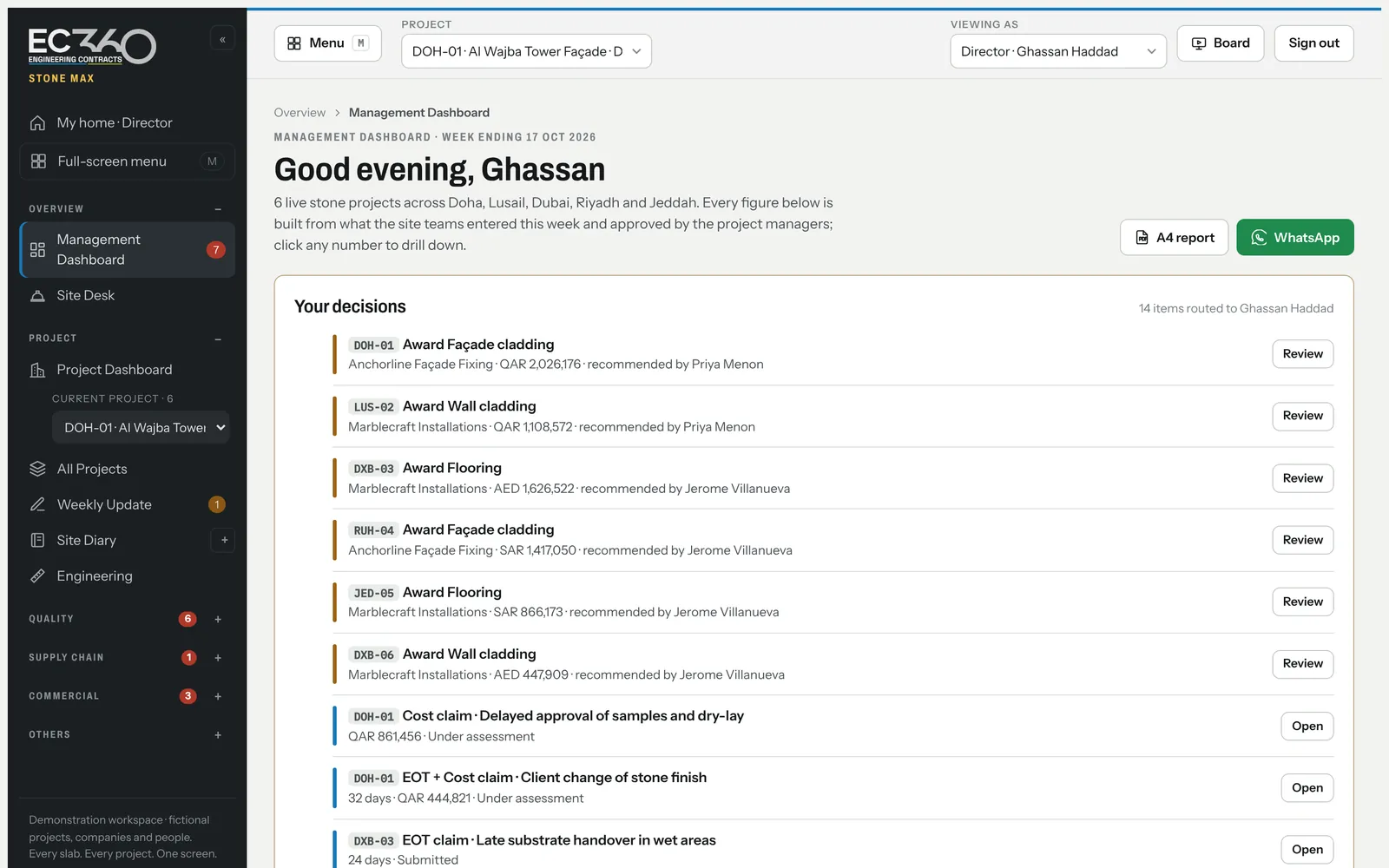
Awards, claims, escalations and late replies are routed to the person who decides, ranked by impact, with the recommendation and the numbers behind it. Approve from the list, or send it back with a comment.
- Bid comparison with the QS recommendation
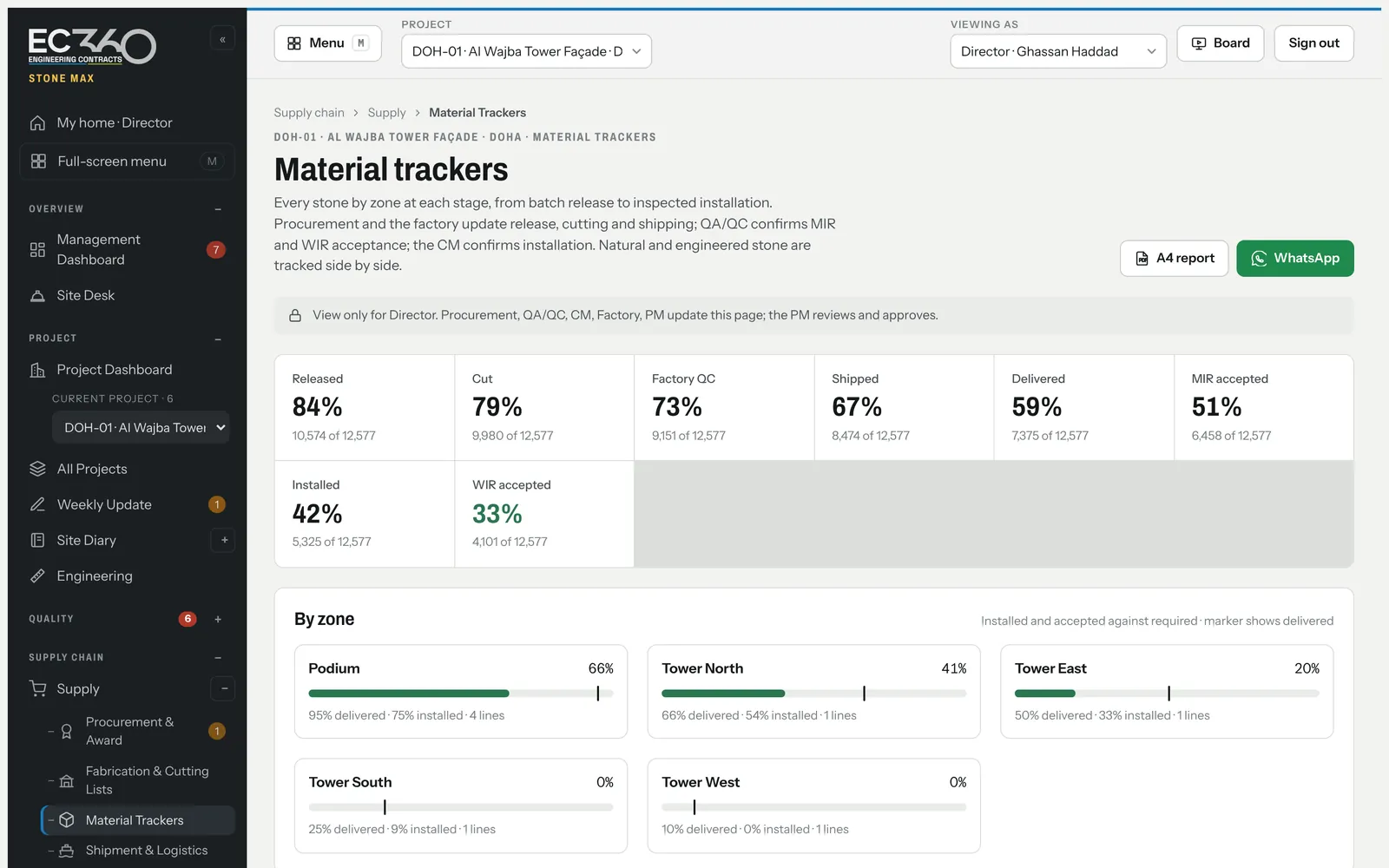
- Material position by stone and zone
- Reply windows on every incoming letter
Built around how a stone package actually runs.
Supply
From tender to the crate on site.
- Bid comparison, recommendation and award
- Batches, blocks and dry-lay approvals
- Cutting lists through the factory
- Containers, customs holds and delivery
- Material trackers by stone and zone
Quality
Hold points that actually hold.
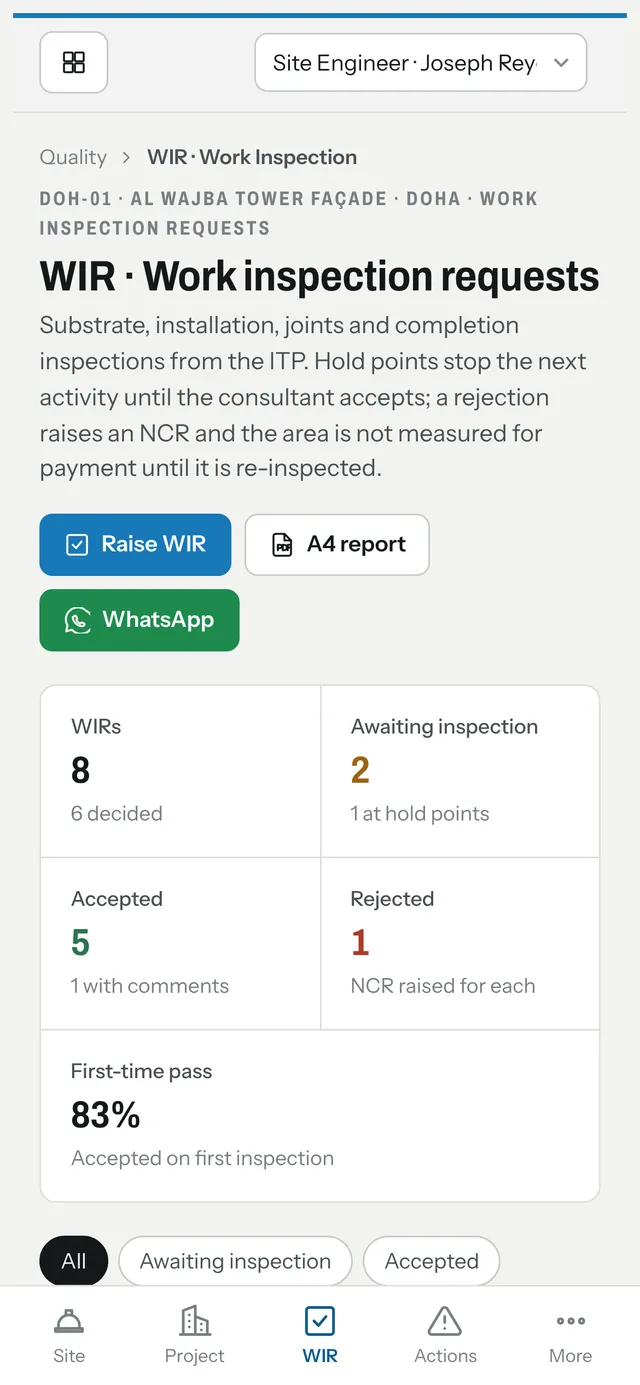
- Inspection and test plan with hold and witness points
- Material inspections against the released batch
- Work inspections by stage and zone
- Rejections raise an NCR automatically
- Close-out verified by someone other than the fixer
Site
Short entries, on a phone.
- Today's desk for the site team
- Daily diary with crews, weather and delays
- Installed quantities against plan
- Weekly update the PM approves
- Subcontractor crews and performance scores
Commercial
The money, kept to the people who need it.
- Contract particulars, key dates and variations
- Payment applications, certification and cash
- Cost control by cost head
- Extension of time and cost claims
- Letters in and out with reply windows
And for getting it out of the system: A4 reports for any register, WhatsApp updates to the right person, a board presentation, and Excel export and import for every project.
Fitout Max
The same way of working for fit-out contracting: every trade, every zone. Trade progress and coordination; procurement, awards and materials; costs, actions and close-out.
Simple for every team. Clear for management.
- Directors and head office
- Every project's position, the decisions waiting for you and the trend across the portfolio, without chasing anyone for an update.
- Project and construction managers
- Review and approve what the site records, keep the weekly report honest, and send decisions up with the numbers attached.
- Site engineers, QA/QC and the factory
- Record the day in minutes on a phone: diary, installed areas, inspections, cutting and crating progress.
- Commercial, procurement and planning
- Bids, awards, variations, payment applications, cost and programme, all built from the same approved records.
The site team uses it on the phone already in their pocket.
The site desk opens on today: the diary to submit, areas to update, inspections to correct. Entries are short and photos go with them; the project manager reviews everything before it reaches management.
Twelve roles, from site engineer and QA/QC to factory, QS, accounts, project manager, director and head office. Each sees the whole project and edits only its part.
Every change has a name on it.
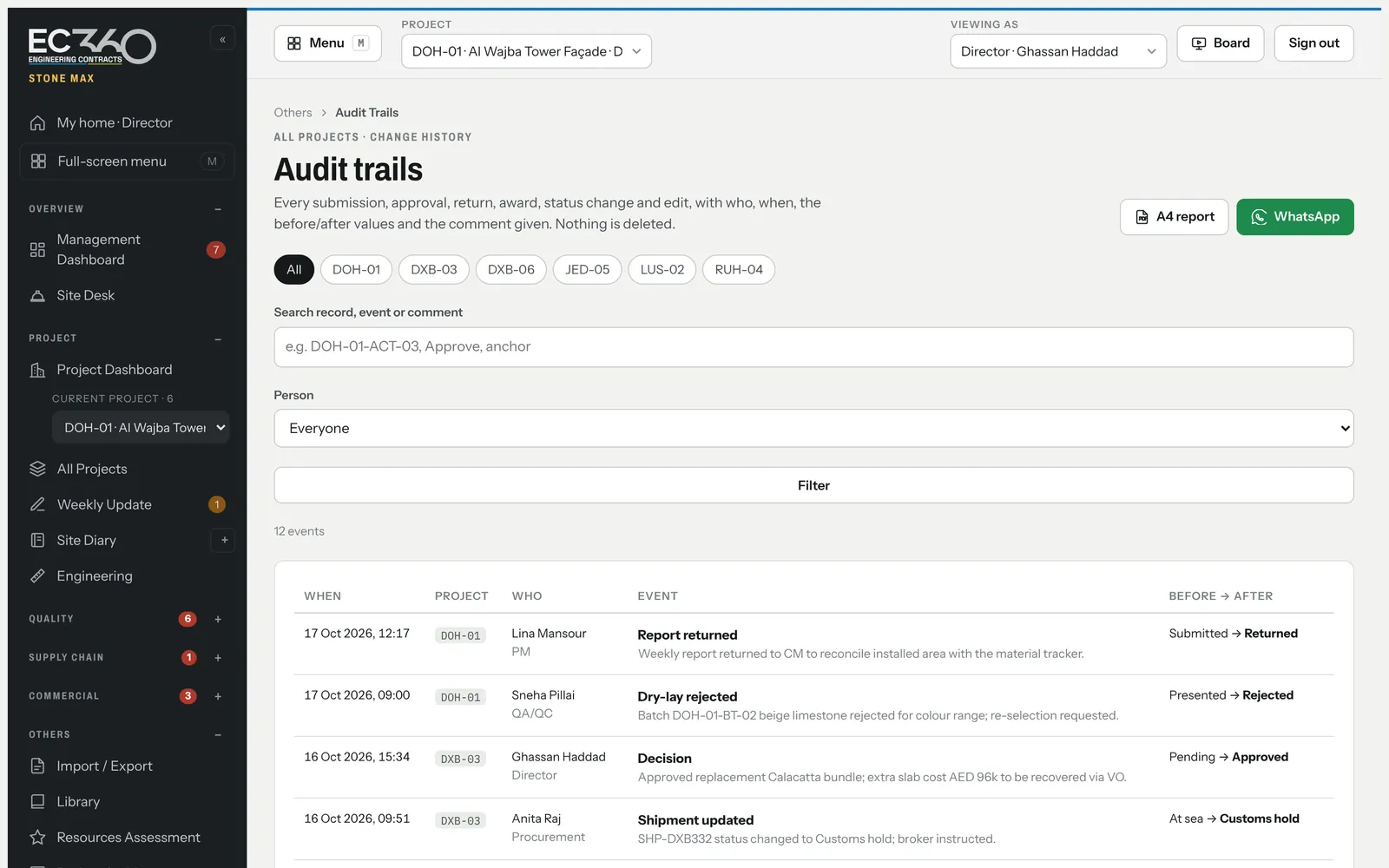
- Full audit trail
- Every submission, approval, return, award and edit is kept with who, when, before and after, and the comment given. Nothing is deleted.
- Separation of duties
- The person who resolves an NCR cannot also verify it. Approvals follow each role's permissions, checked on the server.
- Your company only
- Each company's projects, people and documents are kept apart, hosted in Frankfurt, Germany.
- Secure access
- Personal sign-in for every user, lockout after repeated failures, invitations and password resets by single-use email links, and sign-out everywhere when a password changes.
One project. A focused pilot. A useful test.
- See the demonstrationA live walkthrough on example projects, using the roles your team actually has, and your questions.
- Define the pilotPick one live project. We agree scope, duration, support and terms, and load its scope, team and registers from your Excel files.
- Go liveYour company space, your people invited by email to set their own passwords, and your site and office teams using it for real.
Good questions. Clear answers.
Can we start with one project?
Yes. A pilot on one live project is the recommended start. Scope, duration, support and terms are agreed with you before it begins.
Is Stone Max ready for live project data?
Yes. It runs with personal sign-in for every user, each company's data kept separate, a full audit trail, password reset by email and data hosted in Frankfurt, Germany. Backup, recovery and support terms are confirmed in writing for your pilot.
Can we bring our existing spreadsheets?
Yes. Every register of a project downloads to Excel and imports back, so the first load and later bulk updates can come from the files you already keep.
Who can see contract values and costs?
Only commercial roles: QS, accounts, procurement, planner, project manager, director and head office. Site, quality and factory users never receive the figures, not just hidden on screen.
Does it handle engineered stone as well as natural?
Yes. Natural stone is controlled by block, batch and dry lay; engineered stone by production lot. Both share the same cutting, shipping, inspection and installation records.
Does it work on phones?
Yes, in the browser on phones, tablets and desktops, with nothing to install, and it can be added to the home screen. It needs a connection; offline entry is not offered.
Is our data used to train AI?
No. Your project data is used only to run Stone Max for your company. It is not sold, not used for advertising and not used to train AI models.
Where is our data, and who changed what?
Each company's data is kept separate and hosted in Frankfurt, Germany. Every submission, approval, return and edit is recorded with the person, the time, before and after, and the reason given.